Hi moms! Okay first of all… how are we doing today? Hopefully your coffee still exists somewhere nearby, your living room has survived the toy explosion, and nobody has started transforming random household objects into “battle robots” while you’re trying to plan this birthday honestly. Because WOW. Today’s party theme is LOUD. And honestly? Kids absolutely LOVE it. What’s it? YEAAAH. It’s TRANSFORMERS!!!
Tell your children to throw back their transformer comics and get ready for their birthday celebration. Our collections called transformers birthday invitations can be downloaded for free only on this website. With transformer invitations, you would provide your boy with very good invitation templates where you can make a good birthday party with it!
I’m super excited to share these awesome Transformers birthday party ideas along with this action-packed invitation design that honestly looks like a movie poster for the biggest robot battle of the year.
If your child loves Optimus Prime, Bumblebee, giant robots, action movies, racing scenes, or explosive adventure themes, then a Transformers birthday party is honestly one of the coolest celebrations you can plan. Unlike softer birthday themes that focus mostly on cute decorations, Transformers parties naturally feel bigger, louder, and way more energetic from the very beginning.
Ready to Send the COOLEST Transformers Invitation Ever?
FYI, I Updated This Transformers Invitation and WOW It Looks Better
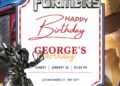
This Transformers invitation honestly works so well because it immediately creates ACTION. The second guests see it, they already know this party is going to feel loud, energetic, and full of adventure afterward. The metallic textures instantly create that robot-movie atmosphere, while the glowing neon background helps the entire design feel futuristic without becoming visually overwhelming.
Meanwhile the giant Optimus Prime graphic completely steals the spotlight in the BEST possible way. And honestly? That industrial-style hanging sign at the bottom is SUCH a smart detail. It makes the birthday information feel connected to the whole robot-headquarters aesthetic instead of looking randomly placed afterward. The futuristic font choices help too.
And once the invitation starts looking THIS epic… suddenly regular fonts stop feeling acceptable emotionally. Which honestly means it’s time to talk futuristic the fonts I picked for this invitation.
Let’s Make This Invitation Look More EPIC
Transformers invitations honestly need fonts that feel futuristic and mechanical without becoming impossible to read afterward. This theme naturally works best with typography that feels:
- bold
- metallic
- action-packed
- cinematic
- and slightly industrial afterward
That’s exactly why fonts like:
- Orbitron
- Audiowide
- Ethnocentric
- Rajdhani
- and Exo
work SO well for Transformers party invitations. They instantly create that robot-movie atmosphere automatically. Meanwhile combining futuristic headers with simpler readable text helps balance everything beautifully so parents can still read party details quickly. And honestly? The right fonts make the entire invitation feel ten times more immersive immediately.
And once the fonts finally feel cinematic enough… naturally parents start wondering: “Okay what paper makes this look EVEN cooler printed?” Which honestly matters WAY more for metallic robot themes like this.
Still Looking for More Birthday Ideas?
Honestly, this is usually the moment where parents suddenly realize how much money they’re saving compared to ordering custom invitations online. Especially because printable invitations like these, Transformers One, Epic Transformers Autobot or maybe a little twist like Cute Pokemon Card Style birthday invitation templates, it can become surprisingly expensive if you buy the custom ones. You will not only need to spare for editing fees, personalization costs, and printing charges start adding up. Meanwhile Canva templates let parents create something adorable in minutes while still making the party feel thoughtfully planned and personal.
CUSTOMIZE AND DOWNLOAD YOUR INVITATION NOW ON CANVA! (Updated Version)
Time to Add Your Child’s Name and Start the Adventure
One reason parents love editable Canva invitations so much now is because the process honestly feels WAY easier than people expect. You really do not need design experience. Most moms simply open the Canva template from their phone, tablet, or laptop, tap directly on the text boxes, and replace the sample wording with their own birthday information. That’s it honestly.
And honestly? This Transformers invitation already has SUCH strong energy before you even customize anything. The metallic textures, glowing background, industrial details, and giant Optimus Prime artwork already create the action-movie atmosphere automatically, so even small edits still look polished afterward. A lot of parents also like changing the wording slightly to match the robot-adventure theme better too.
This Is Exactly How I Printed My Transformers Invitations
At first, I honestly thought printing these Transformers invitations at home would be easy. Tiny optimistic parenting moment honestly. I downloaded the Canva file, used regular paper, printed a sample, and immediately realized something looked VERY wrong. The metallic textures looked dull.
The dark background lost depth. And the invitation suddenly felt more “school worksheet” than “epic robot battle.” So then I upgraded to 250gsm matte cardstock and WOW.
Huge difference immediately. The neon lighting looked stronger, the metallic textures popped beautifully, and the whole invitation finally started feeling cinematic afterward. But honestly? My printer was NOT emotionally prepared for thick cardstock (hahaha). One paper jam later, followed by one crooked print and one mysteriously half-printed Optimus Prime, I decided maybe Staples deserved my money instead. And WOW honestly? Best decision.
And honestly? Printing at home CAN still work beautifully too if your printer handles thick cardstock properly or just go to Staples, Wallgreen or some local print shop. Just always print one sample first before committing to the whole stack. Because discovering twenty crooked robot invitations AFTER using expensive cardstock honestly feels like betrayal from the Decepticons themselves.
Let’s Make This Party Feel Like a Real Transformers Movie
Transformers birthday decorations honestly work best when everything feels bold, metallic, and full of movement afterward. Black backdrops instantly make neon colors pop. Metallic silver decorations create that industrial robot atmosphere automatically, while LED lights somehow make EVERYTHING look cooler immediately. That’s exactly why this theme feels so exciting for kids.
A lot of parents now create “Autobot headquarters” setups using metallic balloons, caution tape, glowing blue lights, robot signs, and industrial-style party banners inspired directly by the invitation afterward. Meanwhile cardboard boxes painted silver somehow become amazing robot props once kids start playing around them. And honestly? This theme does NOT need super expensive decorations to feel cinematic.
And once the decorations finally start looking like a real robot base… naturally the dessert table starts demanding attention too. Because action-movie themes deserve dramatic cakes honestly.
Not Gonna Lie… These Cakes Look AWESOME
This theme naturally wants bold colors, metallic textures, glowing details, and giant robot energy everywhere afterward. Black or blue frosting, silver accents, glowing blue details, and metallic decorations instantly make cakes feel more connected to the Transformers universe automatically.
A lot of parents I saw on Pinterest now create cakes inspired by Optimus Prime himself using red and blue color palettes with silver robotic details layered throughout the design. Meanwhile some families go full action-movie mode with explosion-style cake toppers, robot symbols, or futuristic city backdrops around the dessert table.
And once the cupcakes disappear and the sugar energy officially activates… the kids immediately start pretending they’re giant battle robots. Which honestly means it’s officially time for games.
Okay Let’s Talk About the Games
Transformers birthday party games honestly work best when kids feel like they’re inside a giant robot action movie instead of simply attending a regular birthday party afterward. That’s why this theme naturally creates SO much excitement.
A lot of parents now create obstacle courses inspired by robot missions where kids “train to become Autobots” by crawling through tunnels, racing through cone courses, or carrying “energy cubes” across the yard afterward. Just see the following detailed visual instruction and you can imagine how fun it could be to bring the obstacle run at your son’s birthday.
Meanwhile relay races become WAY more exciting once children pretend they’re transforming between robot mode and vehicle mode during the game. And honestly? Even simple balloon games somehow feel cooler with this theme.
during a balloon challenge, the entire party energy completely changes. And ngl… once the games officially start, parents usually realize the kids are basically creating their own Transformers movie in real time. Which honestly becomes one of the funniest parts of the entire birthday.
Ready to Bring the Transformers Universe to Life?
Transformers birthday parties continue being one of the most exciting themes for kids because they naturally combine action, movement, adventure, cinematic decorations, robot energy, and nonstop imagination into one unforgettable celebration.
The invitation already creates excitement with its futuristic metallic design and giant Optimus Prime artwork. Then once the decorations, cake table, balloons, games, and party setup start matching those same action-packed robot vibes, the entire birthday suddenly feels immersive without needing giant Hollywood-level budgets afterward.
- Can I edit this invitation on my phone?
Yes. Canva works smoothly on phones, tablets, and computers, so you can edit the invitation anywhere.
- What paper works best for printing?
I personally recommend 5×7 A7 matte cardstock paper (250gsm) because it looks clean, premium, and uses less ink.
- Should I print a test copy first?
Definitely. I usually print one black-ink-only test page first to check spacing and spelling before using colored ink.
- Can I send the invitation digitally?
Of course. You can save it as PNG or JPG and send it through text, WhatsApp, email, or social media.