

Planning a birthday party that’s as memorable as it is fun? Look no further – we’ve got the perfect theme for you: Animal Crossing! Dive into our expert tips and tricks to ensure your Animal Crossing Birthday Party is a roaring success! We’ve got you covered with unique and eye-catching FREE Editable Animal Crossing Birthday Invitations that perfectly match the vibe of your virtual celebration.
It’s More Than Just Balloons!
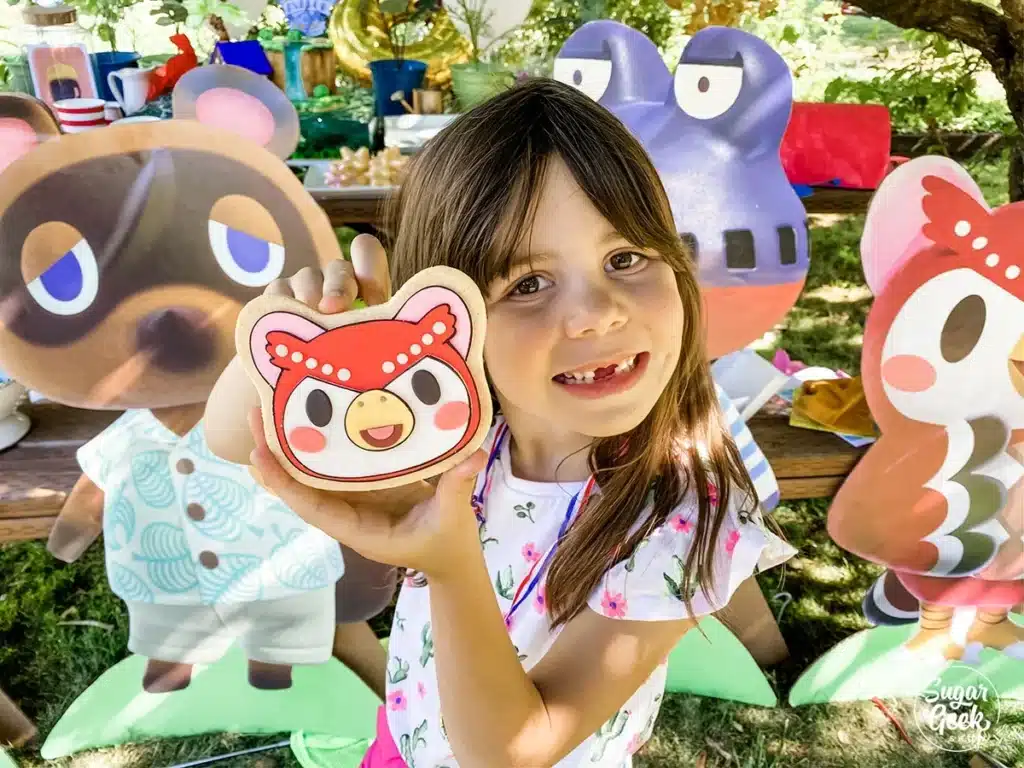
Are you looking to throw an absolutely adorable birthday bash for your little one? Well, look no further!
Today, we’re diving into the magical world of Animal Crossing and sharing some super cute ideas for a themed party that’ll have your guests hopping for joy.
Animal Crossing birthday bashes are the hottest ticket in town! Don’t worry, you don’t need a Nook Miles Ticket to join the fun.
This guide is your one-stop shop for throwing an epic Animal Crossing party that’ll have your little adventurer squealing with delight!
Why Animal Crossing? Spilling the Tea on This Magical Theme
Listen, some birthday themes are just…eh. You know, the usual suspects: dinosaurs, princesses, pirates (yawn!).
But Animal Crossing? It’s different! This game is all about cozy island living, adorable animal neighbors, and endless creativity.
It’s perfect for our little ones who love exploring, building, and unleashing their inner artist.
Imagine the Scene: Think Tom Nook (minus the sneaky loan pitches!), Isabelle’s sunshine smile greeting everyone, and all the quirky villagers mingling with your guests.
It’s like stepping into their favorite game, and trust me, the excitement will be bananas! (Okay, maybe not literally, but close!)
Shh! Here’s the Secret Sauce:
This guide is your secret weapon, honey! We’re talking invitations that’ll have your guests packing their virtual bags, decorations that’ll transform your living room into a whimsical island paradise.
Activities that’ll keep those little explorers busy, food that’s as cute as K.K. Slider himself, and party favors that’ll have them saying “Wowzers!”
Animal Crossing Themed Invitations

Think of invitations as the first impression of your party. We don’t want to send out boring old cards, right?
Animal Crossing invites are all about setting the tone for a cozy, island-inspired celebration.
Picture it: adorable villagers like Stitches or Maple waving hello, lush trees swaying in the breeze, and a glimpse of the birthday island paradise waiting to be explored.
The Best Part? You don’t need to be a graphic design whiz! There are tons of free, editable Animal Crossing invitation templates online. (Psst, Drevio has some seriously cute ones!)
Choose a design that speaks to your little one’s personality – maybe they love Isabelle’s sunny charm or Blathers’ love of fossils.
Pro Tip: Don’t forget the wording! Ditch the generic “you’re invited” and craft a message that reflects the theme.
Something like, “Pack your bags and join [Child’s Name] on a birthday island adventure!” instantly sparks the excitement for the big day.
High-quality, matte paper is your friend here. It complements the soft, pastel colors of Animal Crossing perfectly, adding a touch of elegance to the whole invitation shebang.
Can’t wait to get the party started? Digital invites are a super quick way to get the word out.
But, if you want a keepsake with that special, cozy Animal Crossing feel, printed invitations are the way to go!
A Personal Touch
To add a personal touch, include a QR code that links to a custom Animal Crossing island created just for the party.
Guests can explore the island and get a sneak peek of what to expect at the celebration.
FREE Editable Animal Crossing Birthday Invitations


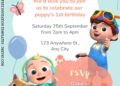
There are thousands upon thousands of invitation templates on our site, and what’s in this post is just a tiny needle in the sea of our massive collection. Need more ideas related to today’s page? Cocomelon, Into The Jungle Lion King, Magical Rainbow My Little Pony birthday/baby shower invitation templates.


customize your invitation here
How to Download:
- Head over to the Canva app using those link in the box.
- Choose your favorite design and click on it to open it in the editor.
- This is where the fun begins! You can personalize the invitation with your child’s name, party date, time, location, and RSVP information. Canva offers a wide variety of fonts, colors, and graphics to make your invitation truly unique.
- Once you’re happy with your creation, simply download it as a PDF or JPG and print it out at home or at a local print shop.
Stay tuned, party planning mamas! We’re just getting started! Next up, we’ll dive into decorating your home like a real Animal Crossing island.


Think DIY trees, adorable villager photo booths, and maybe even a Nook’s Cranny corner for some birthday fun!
Decoration Ideas

Imagine your party space as a dreamy island, complete with lush trees, colorful flowers, and friendly villagers. To bring this vision to life, let’s decorate with:
- Banners and Posters: Hang up banners featuring iconic Animal Crossing characters like Isabelle and Tom Nook.
- Props: Add a touch of magic with props like fishing rods, watering cans, and even a tiny campsite.
- Nature-Inspired Decor: Incorporate elements like wooden signs, leafy garlands, and moss-covered rocks to create a natural feel.
Color Schemes and Design Elements
To capture the essence of Animal Crossing, opt for a color palette inspired by the game’s vibrant landscapes.
Think softgreens, earthy browns, and sky-blue hues. For a pop of color, add touches of pink, yellow, and white inspired by the island’s beautiful flowers and fruit trees.
DIY Decoration Ideas
Let’s get creative and make some one-of-a-kind decorations!
- Signs: Craft DIY signs pointing to different “island” activities, like fishing, crafting, or bug catching.
- Character Cutouts: Make cutouts of popular characters like Isabelle and hang them around the venue.
- Centerpieces: Use small potted plants, mini fishing rods, and animal figurines to create adorable centerpieces. Add a sign saying “Welcome to [Child’s Name]’s Island” for an extra touch.
Table Settings

You can’t have a proper Animal Crossing party without a delicious feast. Think of dishes inspired by the game’s fruits, fish, and insects.
- Table Settings: Use tablecloths with leaf patterns or rustic wood designs. Pair them with Animal Crossing-themed plates and napkins featuring the iconic leaf logo or favorite characters.
- Island-Inspired Dining Area: Create a cozy dining area with artificial trees, wooden crates, and twinkling lights. Scatter seashells and small fruit baskets for an authentic island feel.
- Plates and Napkins: Pair them with Animal Crossing-themed plates and napkins featuring the iconic leaf logo or favorite characters.
Atmosphere Creation
To complete the Animal Crossing experience, create a peaceful island atmosphere.
Use soft lighting, character posters, and plush toys of popular villagers.
And don’t forget the music! Play the iconic Animal Crossing tunes to transport your guests to a world of relaxation and fun.
Animal Crossing-Inspired Activities

Now, let’s get the party started with some fun and games! Here are a few ideas to keep your guests entertained:
Fossil Hunt
Imagine your little ones digging up real fossils, just like in the game!
Hide plastic fossils around the party area, and watch their excitement as they discover these hidden treasures. It’s like a real-life adventure on their very own island!
Fishing Tourney
Set up a kiddie pool filled with water and toy fish with magnets.
Give each guest a fishing rod, and let the friendly competition begin!
The one who catches the most fish wins a special prize, maybe a DIY fishing rod or a plush villager of their choice.
Island DIY Workshop
Get those creative juices flowing with an Island DIY Workshop!
Set up a crafting table with various materials like shells, wooden signs, and paint.
Let the kids design their own unique creations, just like they would in the game.
Create Your Own Villager
Let your guests unleash their inner designers by creating their own Animal Crossing characters!
Provide them with paper cutouts, markers, and stickers, and watch as they bring their dream villagers to life.
Leaf Badge Crafts
Inspired by the iconic Animal Crossing symbol, set up a Leaf Badge crafting area.
Give your guests leaf-shaped badges and let them decorate them with stickers, glitter, and other fun embellishments.
Cozy Reading Corner
Create a cozy nook filled with Animal Crossing-themed books and bean bags.
Encourage your guests to relax and unwind with a good story, just like they would in their own cozy homes on the island.
Coloring Pages
Keep the kids entertained with fun Animal Crossing coloring pages! You can find plenty of free printables online, or create your own.


Photo Booth
Capture all the fun memories with an Animal Crossing-themed photo booth!
Decorate the area with a backdrop of a beautiful island scene, and provide props like fishing rods, hats, and villager masks.
Animal Crossing-Themed Party Favors
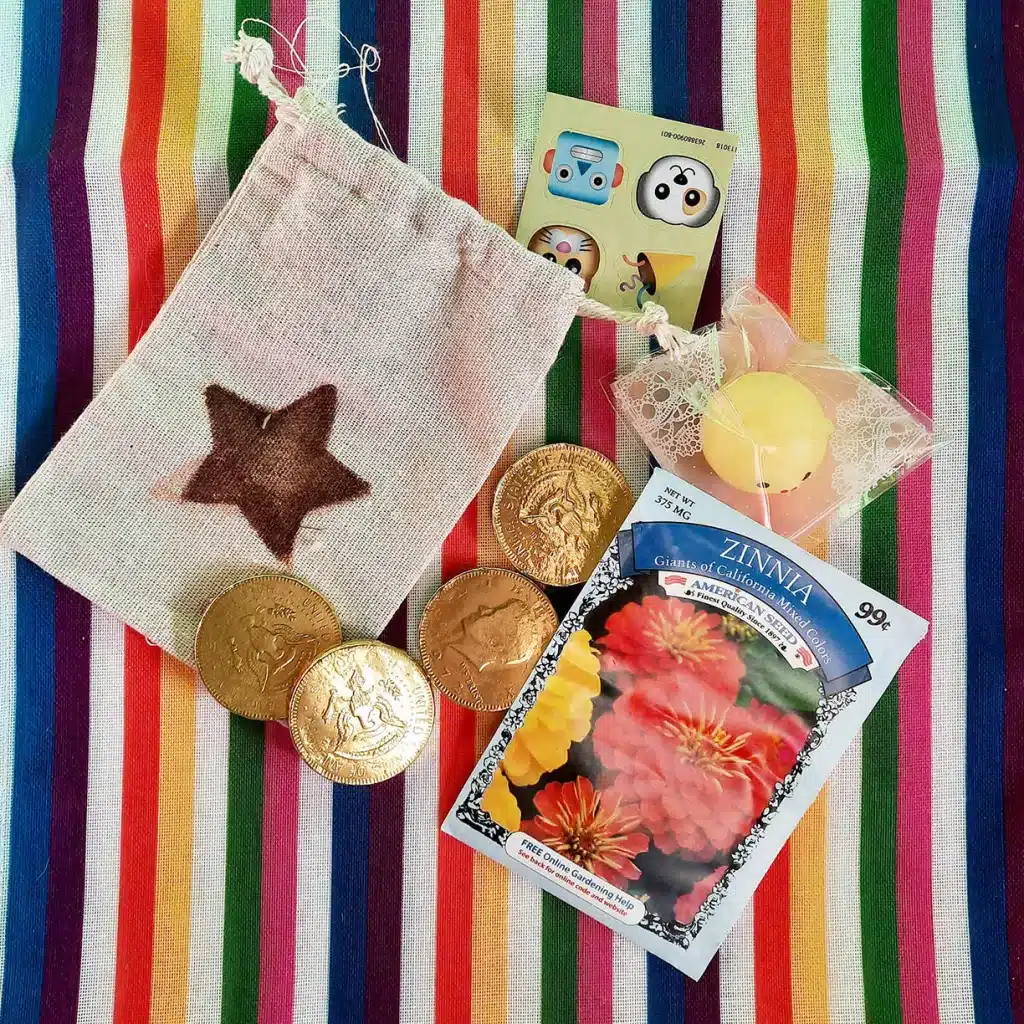
Send your guests home with adorable party favors that they’ll treasure forever. Here are a few ideas:
- Plush toys: Give each guest a small plush toy of their favorite villager.
- Stickers: Packets of Animal Crossing stickers are always a hit with kids.
- Mini potted plants: Let the kids take home a little piece of the island with their own mini potted plants.
- DIY items: Create custom leaf keychains or fruit-shaped candies for a personalized touch.
- Custom Leaf Keychains: Create custom leaf keychains for guests to take home as a souvenir.
- Fruit-Shaped Candies: Give guests fruit-shaped candies inspired by the delicious fruits found in Animal Crossing.
DIY Favor Bags
Once you’ve gathered your favors, it’s time to package them up in style. Here are a few tips for creating adorable DIY favor bags:
- Fill ‘Em Up: Start by filling your favor bags with a variety of small toys, candy, and Animal Crossing-themed goodies. Mix and match different items to create a personalized and exciting experience for your guests.
- Tie It Up: Add a touch of rustic charm by tying your favor bags with natural twine. You can also use colorful ribbons or bows for a more festive look.
- Add a Special Touch: Don’t forget to include a thank-you note featuring characters like Isabelle or Tom Nook. This is a great way to show your guests how much you appreciate them attending your party.
Themed Food and Cake

When it comes to food, Animal Crossing offers a ton of inspiration.
From the fresh fruits and vegetables you can grow on your island to the delicious recipes you can whip up in your kitchen, there’s no shortage of options.
Here are a few themed food ideas to get you started:
- Fruit Basket Treats: These colorful treats are perfect for mimicking the fruit you can pick in Animal Crossing. You can make them with a variety of fruits, like strawberries, blueberries, and grapes.
- K.K. Slider Cookies: These adorable cookies are shaped like the iconic music player from the game. You can decorate them with different colors and patterns to match K.K. Slider’s various songs.
- Tom Nook’s Turnip Dip: This savory dip is a nod to Tom Nook’s love of turnips. You can serve it with a variety of chips or vegetables.
- Island Smoothies: To quench your guests’ thirst, offer refreshing smoothies in bright colors like green and pink. These drinks are perfect for matching the game’s fruity vibe.
Themed Main Course Ideas
- “Fishing for Fun”: Serve up a platter of fish and chips, complete with a side of tartar sauce.
- “Bug Buffet”: This is a fun and unique option for kids. Serve up a variety of insect-shaped snacks, like gummy worms and chocolate ants.
Themed Drinks Ideas
- “Bell-tini”: This sparkling cocktail is perfect for adults. It’s made with vodka, lemonade, and a splash of blue curaçao.
- “Isabelle’s Iced Tea”: This refreshing drink is made with lemon, honey, and mint.
Cake Design

The cake is the centerpiece of any party, and your Animal Crossing-themed cake should be no exception. Here are a few ideas to get you started:
- Animal Crossing Leaf Logo: This is a simple yet elegant design that is perfect for any age.
- Island Scene: Create a miniature island scene on your cake, complete with palm trees, sand, and water.
- Popular Characters: If you have a favorite Animal Crossing character, you can feature them on your cake.
You can also add edible character toppers to cupcakes or cookies for a fun touch.
If you’re working with a bakery, be sure to share images of the Animal Crossing logo, island scenes, or favorite characters for inspiration.
This will help the bakery create a cake that truly captures the charming, handmade feel of the game.
Planning and Execution
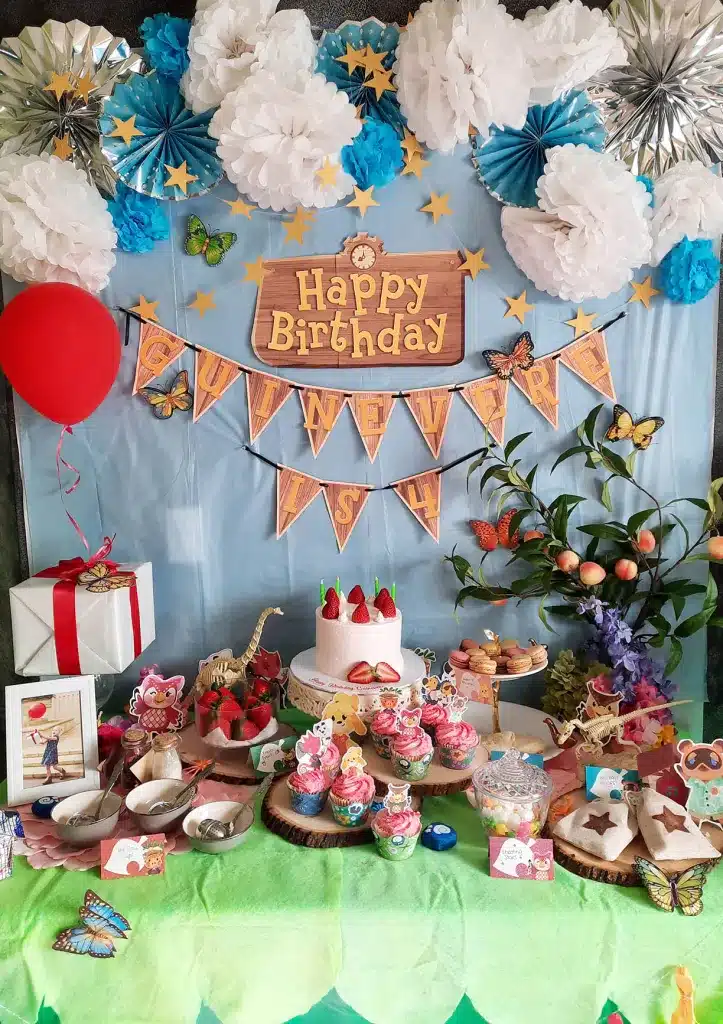
First things first, let’s talk about the budget. We all know that planning a party can be a bit of a financial drain, but with a little creativity and resourcefulness, you can throw an amazing Animal Crossing party without breaking the bank.
Cost-Effective Tips:
- DIY is the Way to Go: Get your crafty juices flowing and make your own decorations using free printable designs. You can find tons of adorable Animal Crossing printables online that you can use to create banners, tablecloths, and centerpieces.
- Bulk buys and bargain: Bulk buying is your secret weapon. Stock up on potted plants, nature-inspired decor, and anything else you need online. And don’t forget those DIY invitations. A little creativity can go a long way!
- DIY Invitations: Skip the store-bought invitations and create your own DIY invites that match your party theme. This is a fun and personal way to get your guests excited about the celebration.
Timeline and Checklist:

To ensure that everything runs smoothly, it’s important to start planning your Animal Crossing party 4-6 weeks in advance.
Use a checklist to keep track of all the details, from ordering party supplies to organizing activities and setting up decorations.
- 4-6 Weeks Before: Choose a theme, set a budget, and create a guest list.
- 3 Weeks Before: Order party supplies, send out invitations, and plan the menu.
- 1 Week Before: Decorate the venue, confirm guest attendance, and finalize the playlist.
- Day of: Set up the party space, greet guests, and enjoy the celebration!
Conclusion

An Animal Crossing birthday party is the perfect way to bring the charm of island life to your celebration.
With nature-inspired decorations, interactive activities, and themed treats, you can create a cozy and fun-filled party that captures the heart of the game.
With the ideas and tips in this guide, you’re ready to host an Animal Crossing-themed party that will have your child and their friends feeling like they’ve just stepped into their own island paradise!
So get planning, and remember, the most important thing is to have fun and create unforgettable memories.








Gracias por las ideas, me sirvieron mucho.
Thanks for share your creativity.